Barbers, beauty salons, repairs, cleaning, tutors and every other service

Service provider Tier 2

Everything in Tier 1, plus rewards for loyal clients and emails that fill your quiet days.

19.00 EUR / month Free until 20.12.2026

Made for

A barber who gives every 6th haircut free
A salon with monthly offers
A massage studio with regular clients

What you get

Everything in Service provider Tier 1, plus the features marked New. See Service provider Tier 1

Book services offered

What your customers see

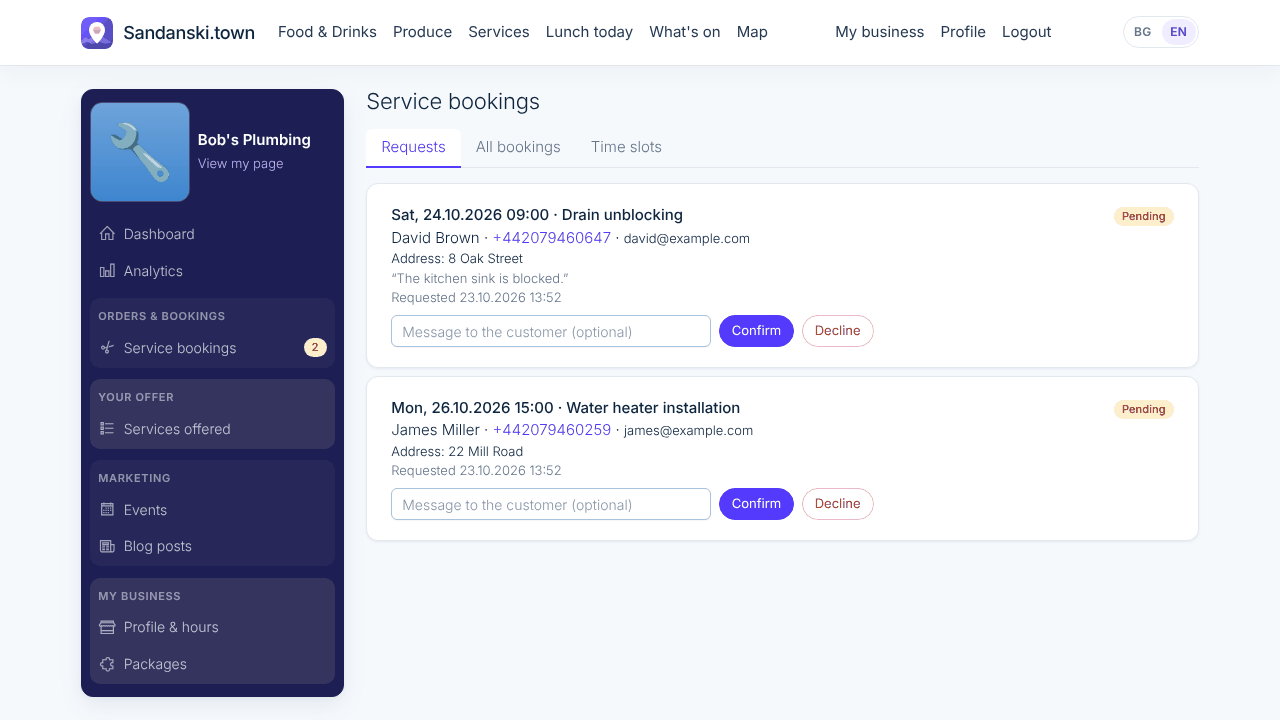
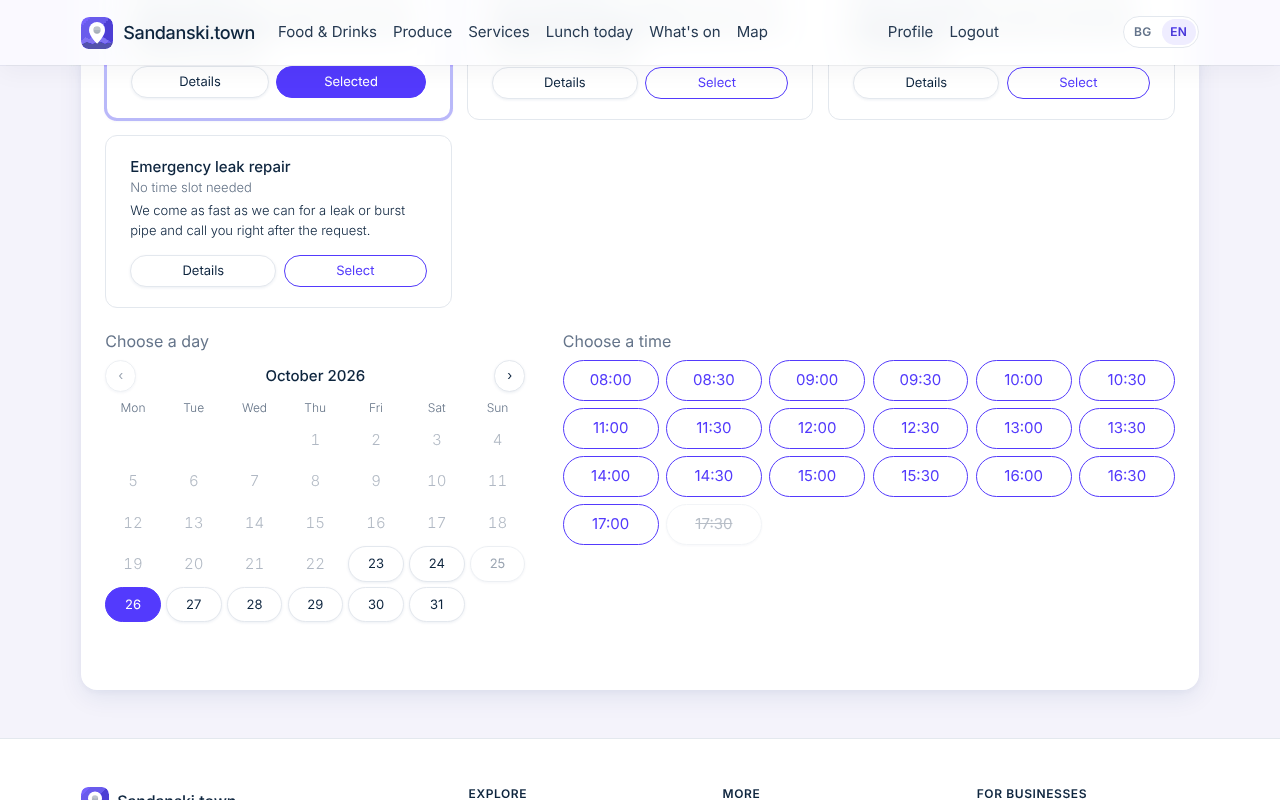
Customers choose one of your services, then a day and a free time slot. For a service with no fixed time, like a repair, they just send a request, with an address when you come to them.

What you do

You list your services with price and duration and drag them into order. You confirm each booking, and customers get a reminder the day before.

Where to find it: My business > Services offered and Service bookings
What your customers see

Voucher stamp cards New

What your customers see

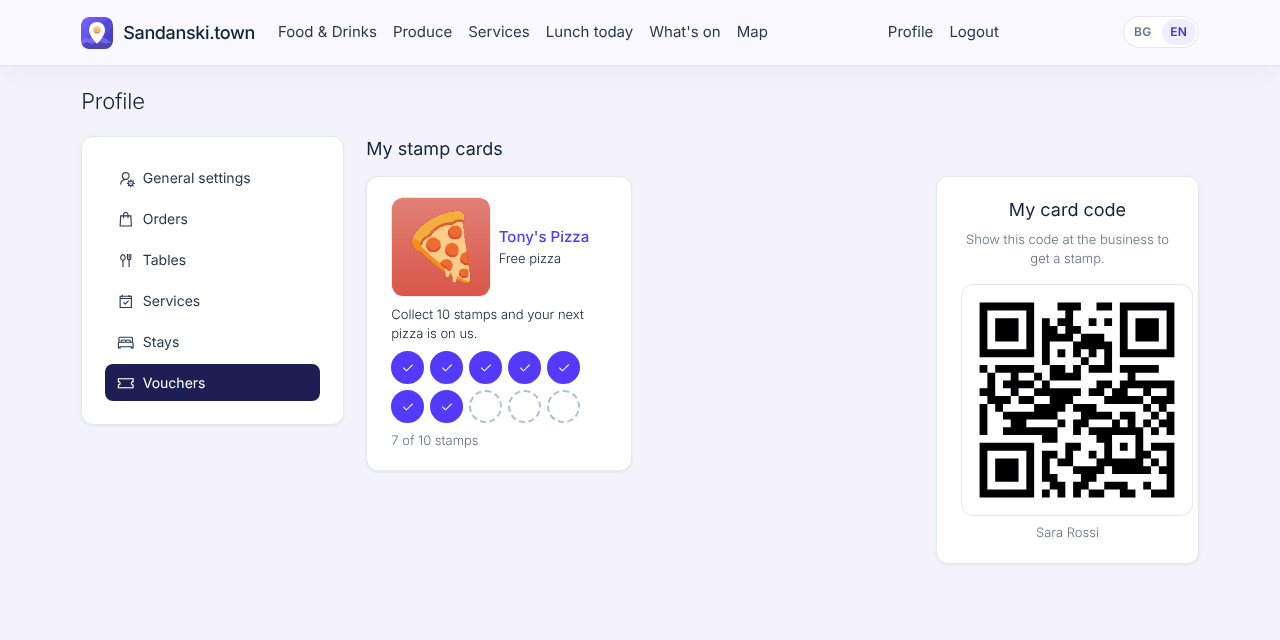
A digital stamp card instead of paper. Customers show the QR code on their phone and see their cards under My vouchers.

What you do

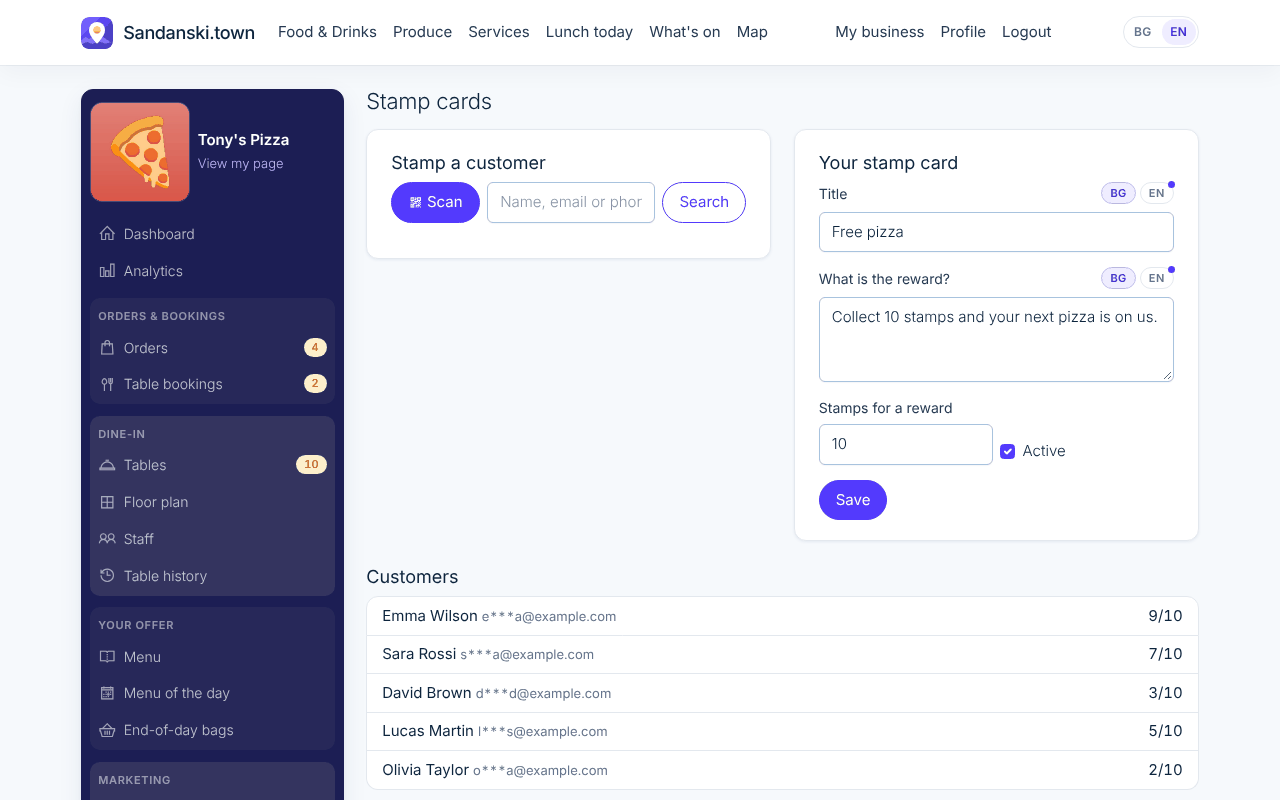
You scan the customer's QR code (or find them by name) and tap Add stamp. After the number of stamps you choose, 10 by default, they get their reward and you reset the card.

Where to find it: My business > Stamp cards

What your customers see

Promotional emails New

What your customers see

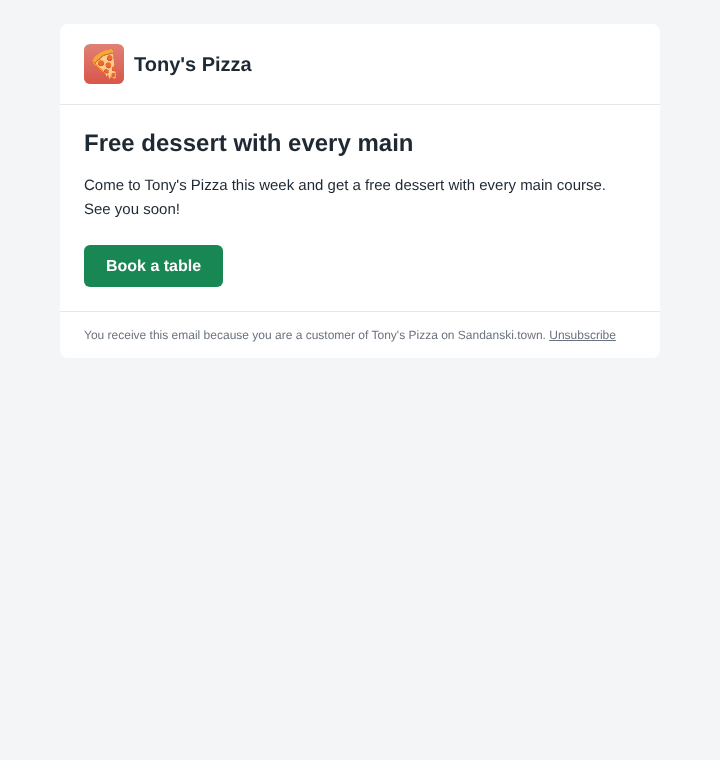
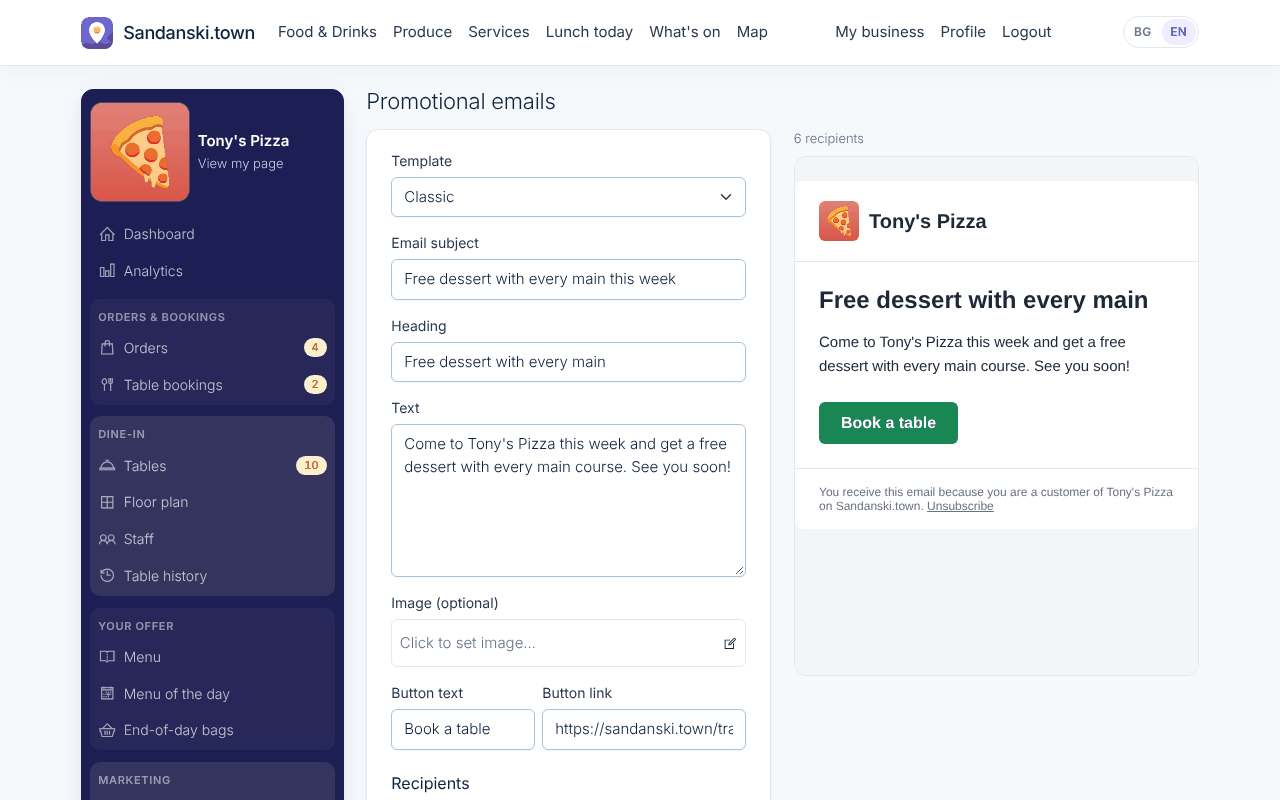
Your customers get a good-looking email with your offer, and can unsubscribe with one click.

What you do

You write a short offer and send it to all your customers, or only to those who ordered or booked between two dates.

Where to find it: My business > Promotional emails

What your customers see

A day with Service provider Tier 2

  1. MondayTuesday looks empty, so you email your clients: 20% off this Tuesday.
  2. TuesdayFive new bookings fill the day.
  3. Every visitYou stamp the client's card; the 6th haircut is free.

Getting started

Once the package is on, set it up in this order. Each step opens the right page in My business.

  1. Add your logo, a description and photos to your page.
  2. Set your working hours and closed days.
  3. Add your services with price and duration, in the order you want.
  4. Set up your stamp card: the reward and the number of stamps.
  5. Send your first promotional email to your customers. (optional)

Questions

Is the stamp card on paper?

No, it is on the customer's phone. You scan it with yours.

Service provider Tier 2

Everything in Tier 1, plus rewards for loyal clients and emails that fill your quiet days.