Restaurants, fast food, cafes and bars

Food & Drinks Tier 3

Everything a restaurant needs: orders, bookings on your floor plan, ordering at the table and loyal regulars.

34.00 EUR / month Free until 20.12.2026

Made for

A family restaurant with a garden and 15 tables
A cafe where guests order from the table
A bistro with busy weekend evenings

What you get

Everything in Food & Drinks Tier 2, plus the features marked New. See Food & Drinks Tier 2

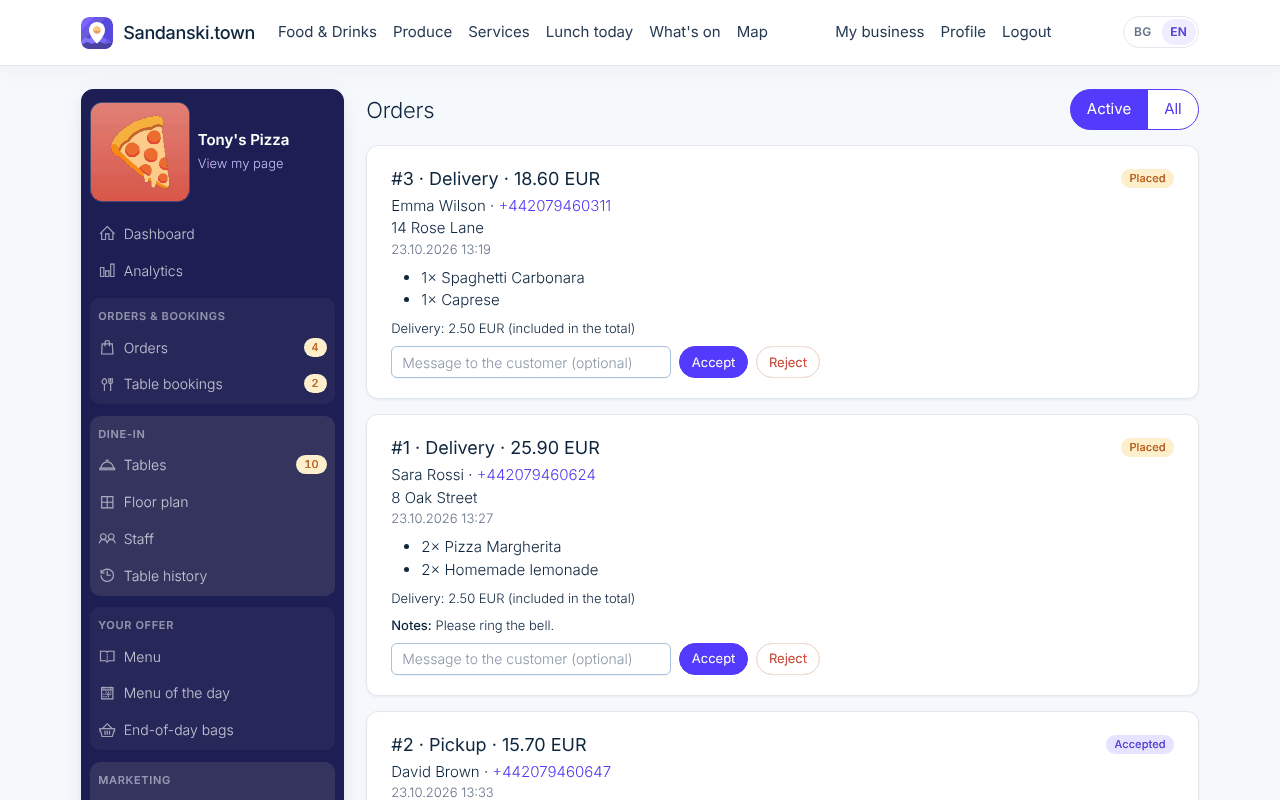
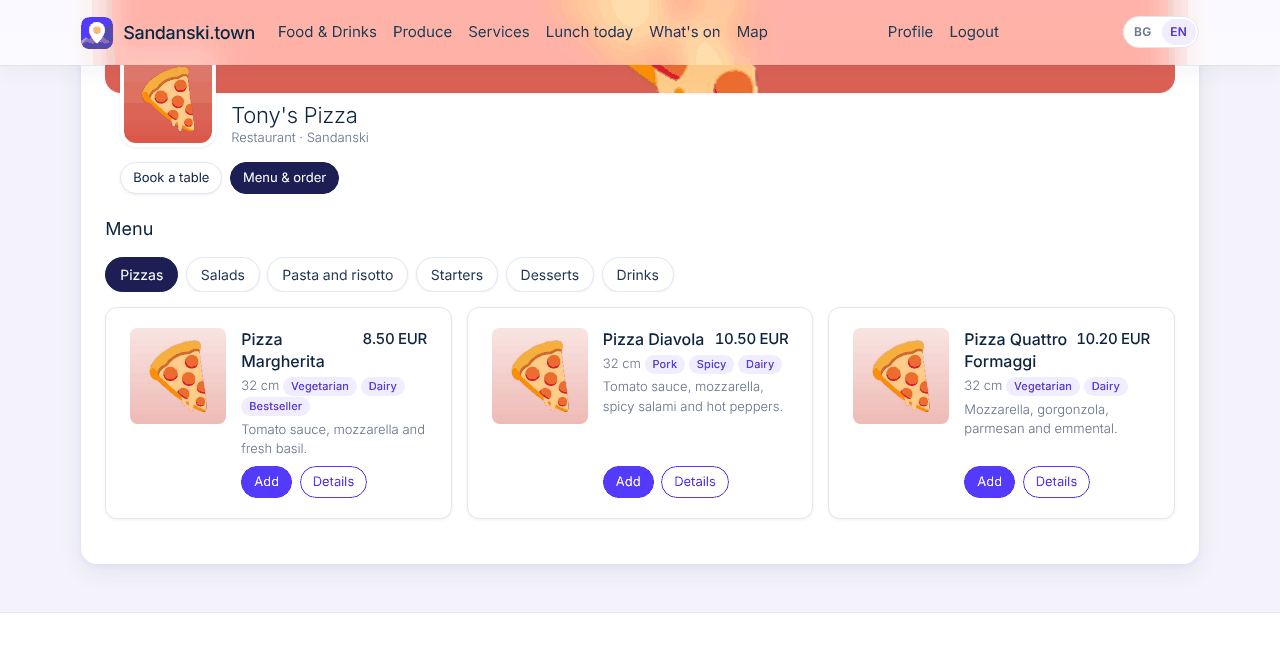
Menu with cart & orders

What your customers see

Customers open your menu, pick a product, remove or add ingredients and put it in the cart. They order for delivery or pickup and pay when they get it.

What you do

You add your products with photos, prices and ingredients and set your delivery cost; pickup is free. Orders come in only while you are open, and a live alert tells you the moment one arrives.

Where to find it: My business > Menu and Orders
What your customers see

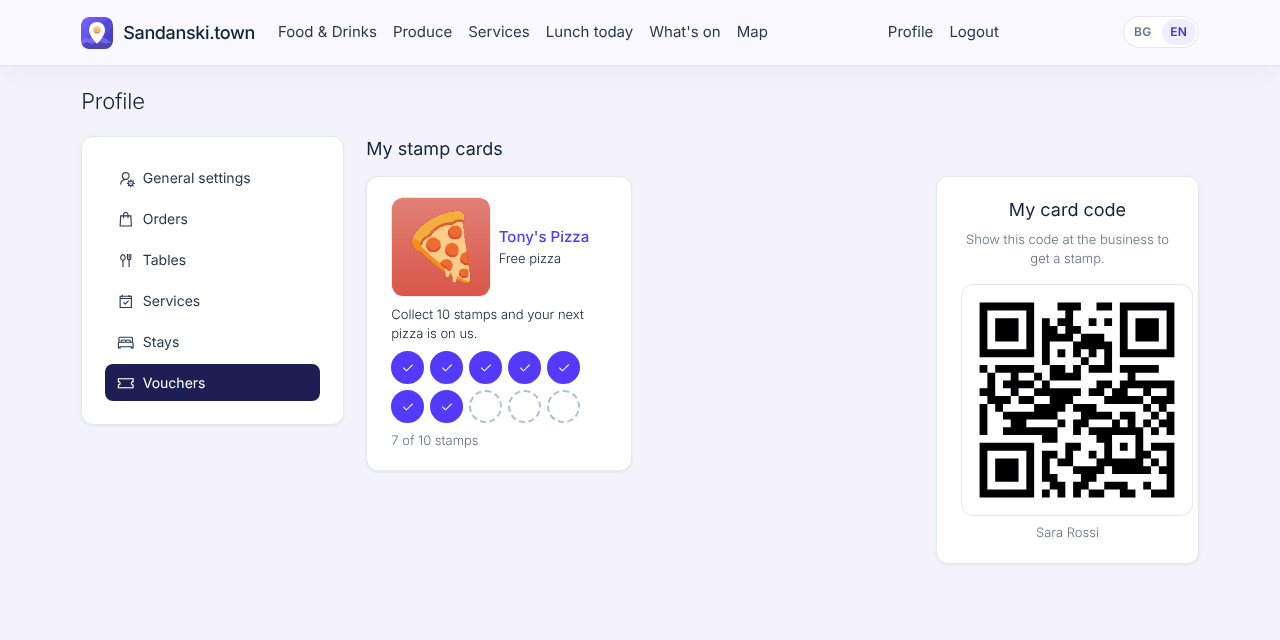
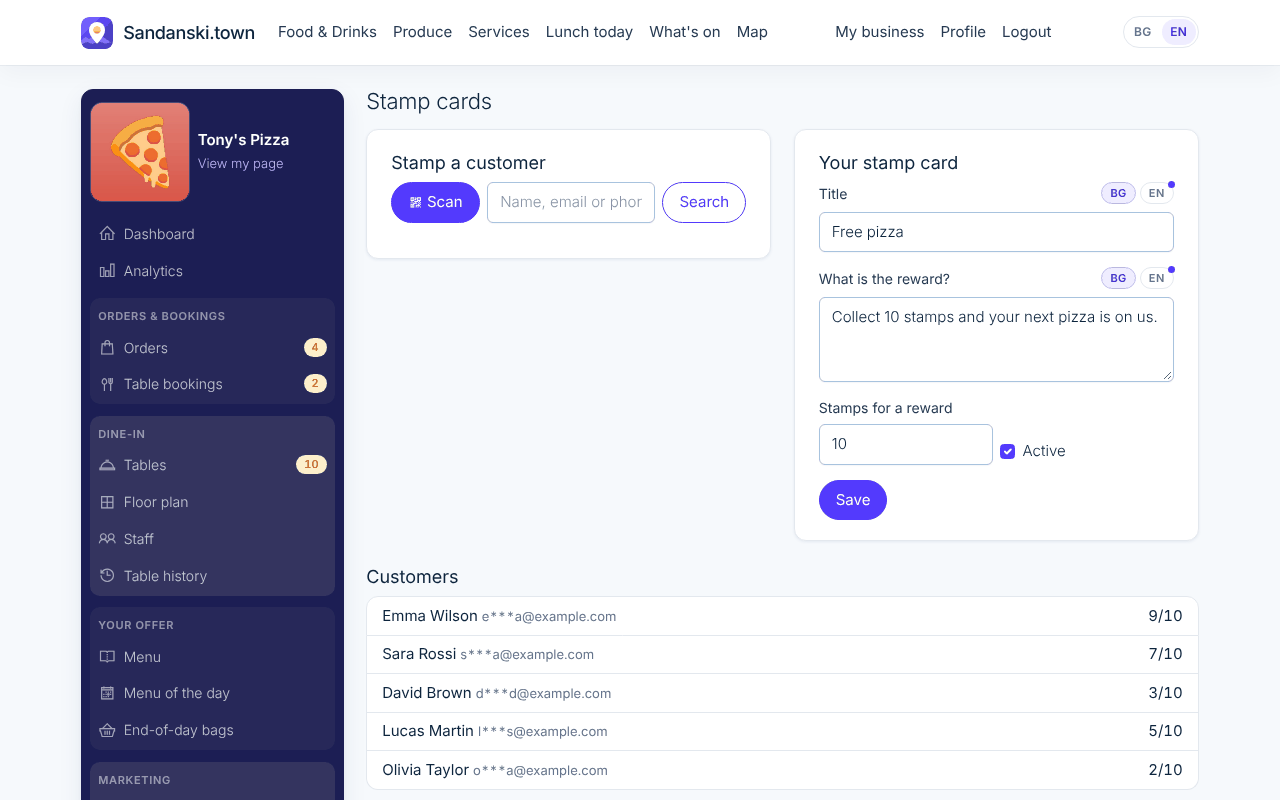
Voucher stamp cards

What your customers see

A digital stamp card instead of paper. Customers show the QR code on their phone and see their cards under My vouchers.

What you do

You scan the customer's QR code (or find them by name) and tap Add stamp. After the number of stamps you choose, 10 by default, they get their reward and you reset the card.

Where to find it: My business > Stamp cards

What your customers see

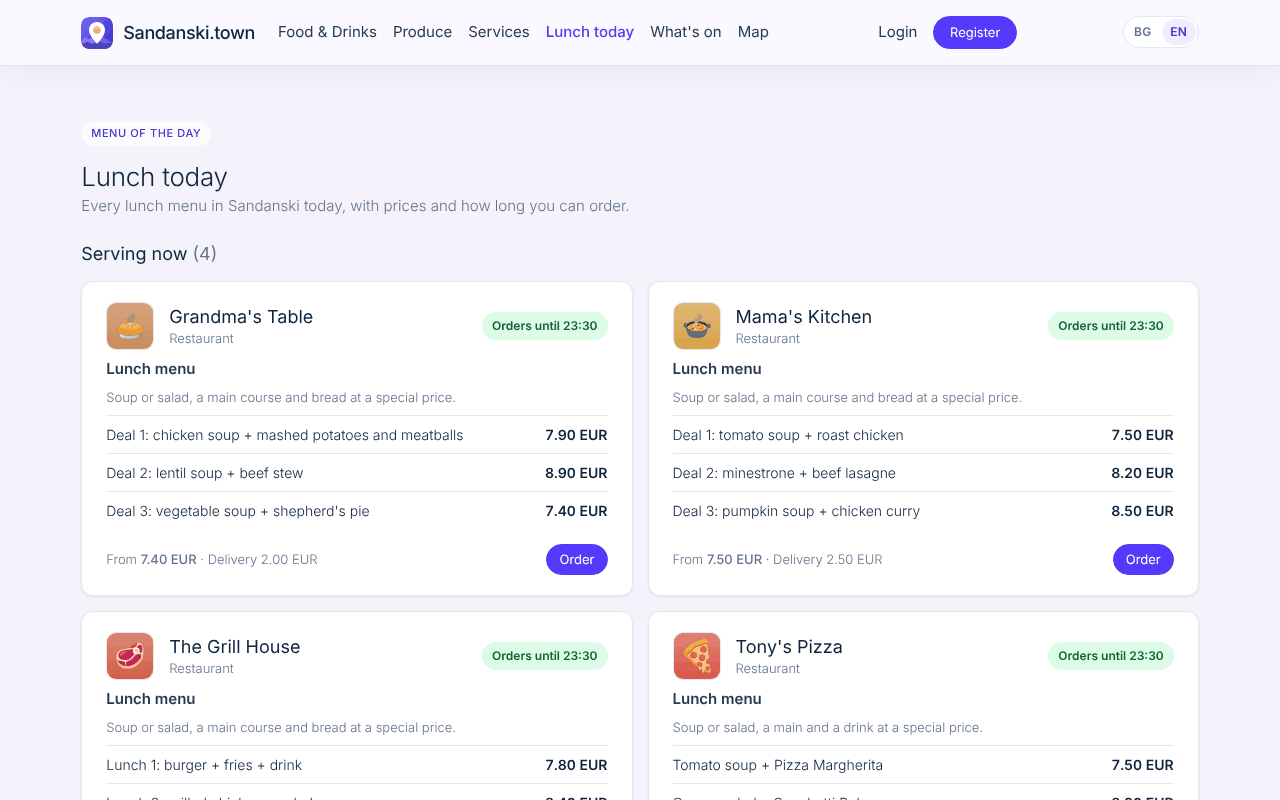
Menu of the day

What your customers see

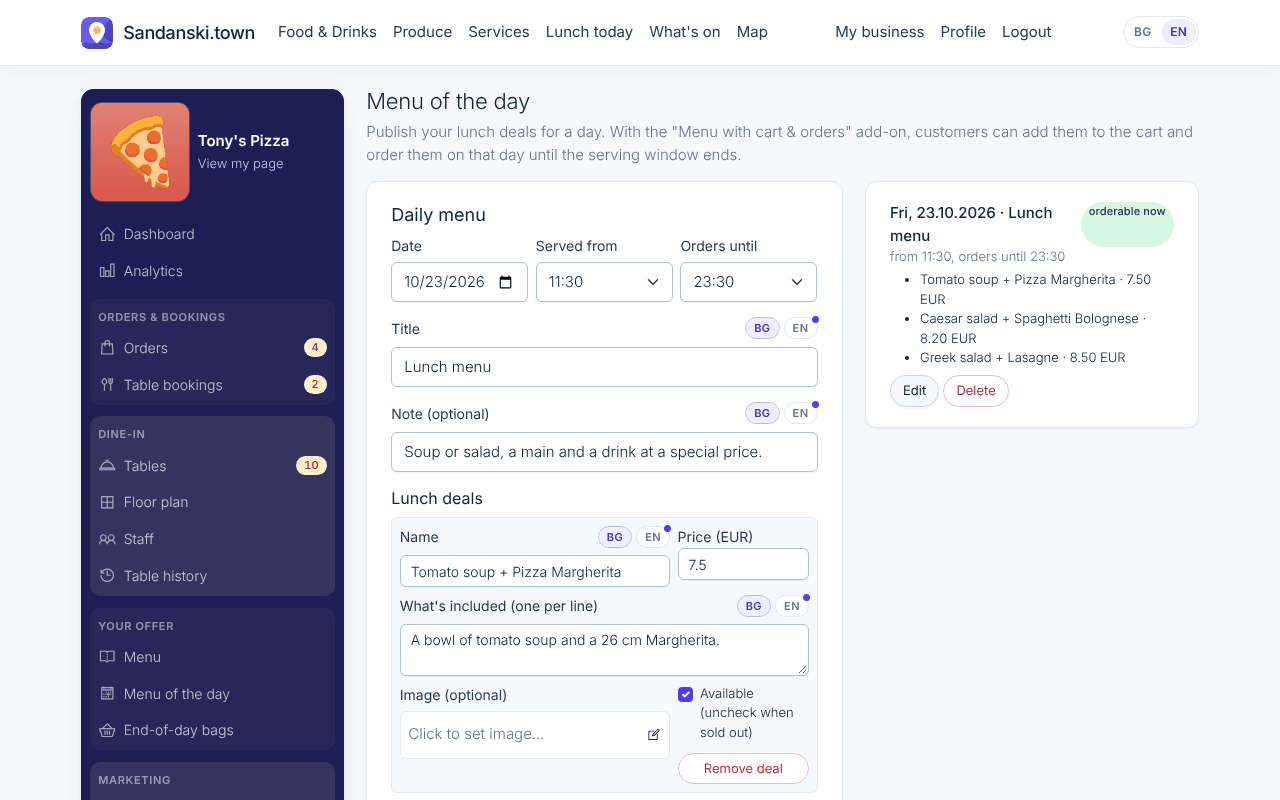
Your lunch shows on the Lunch today page an hour before you start serving, and customers order it like any other product.

What you do

You publish today's dishes and prices with a Served from and Orders until time. It takes a minute every morning.

Where to find it: My business > Menu of the day

What your customers see

Book tables New

What your customers see

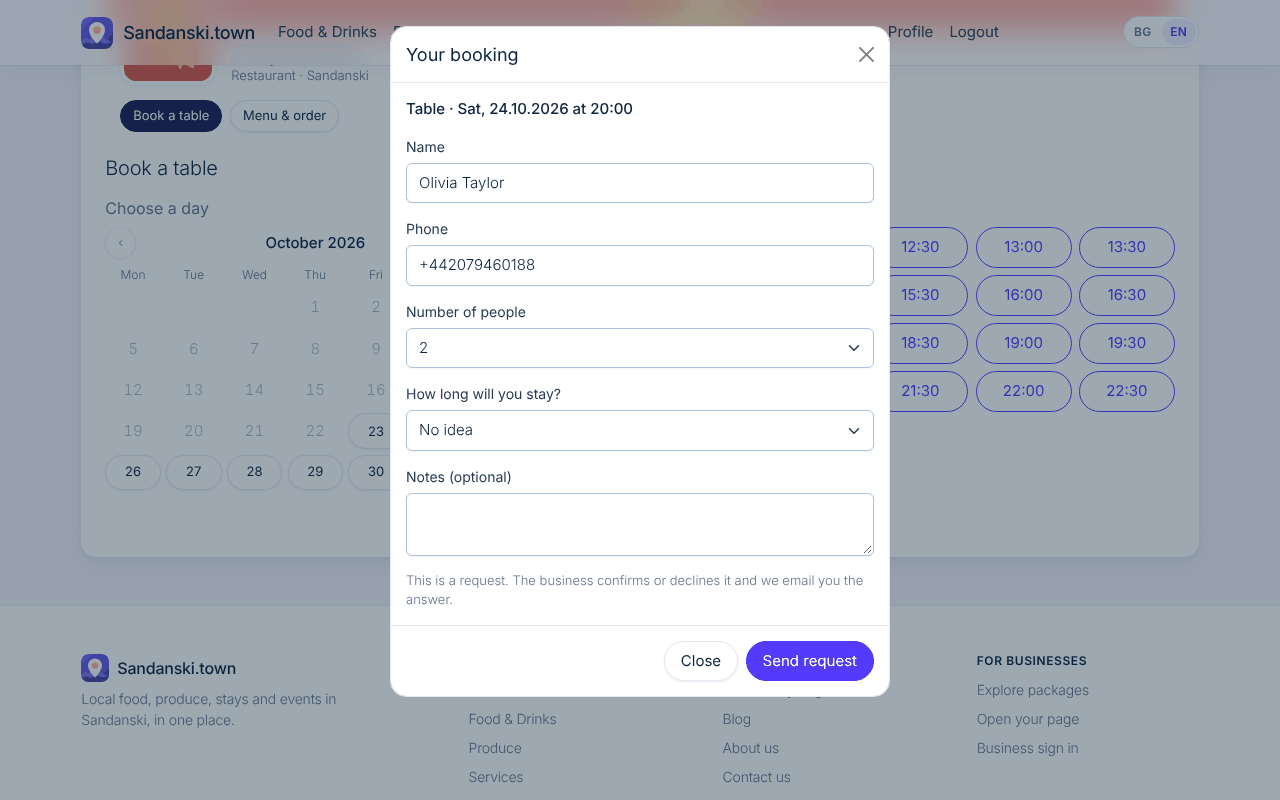
Guests pick a day on the calendar and a 30 minute slot and send a request. They get a reminder the day before and one hour before, and can add the booking to their calendar.

What you do

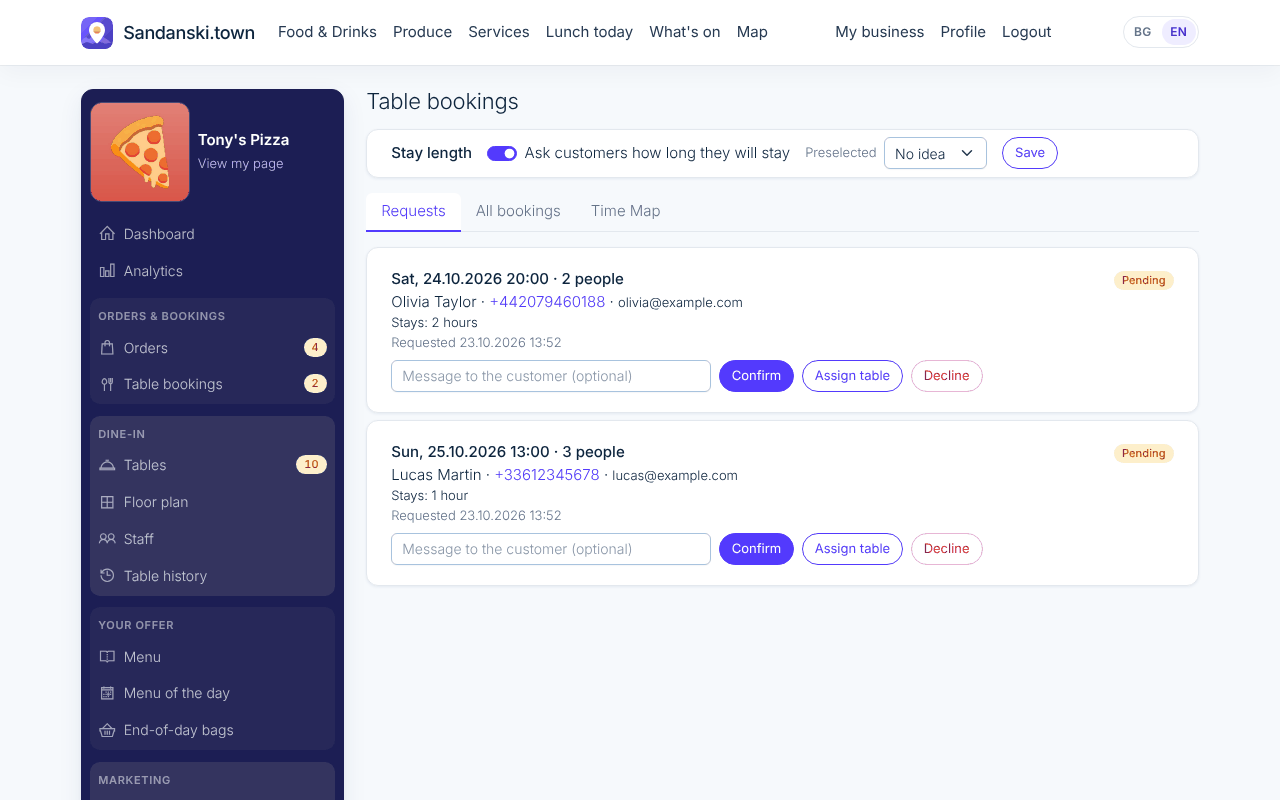
You approve or decline each request. Closed days and working hours are respected, so nobody books when you are closed.

Where to find it: My business > Table bookings

What your customers see

Dynamic QR orders New

What your customers see

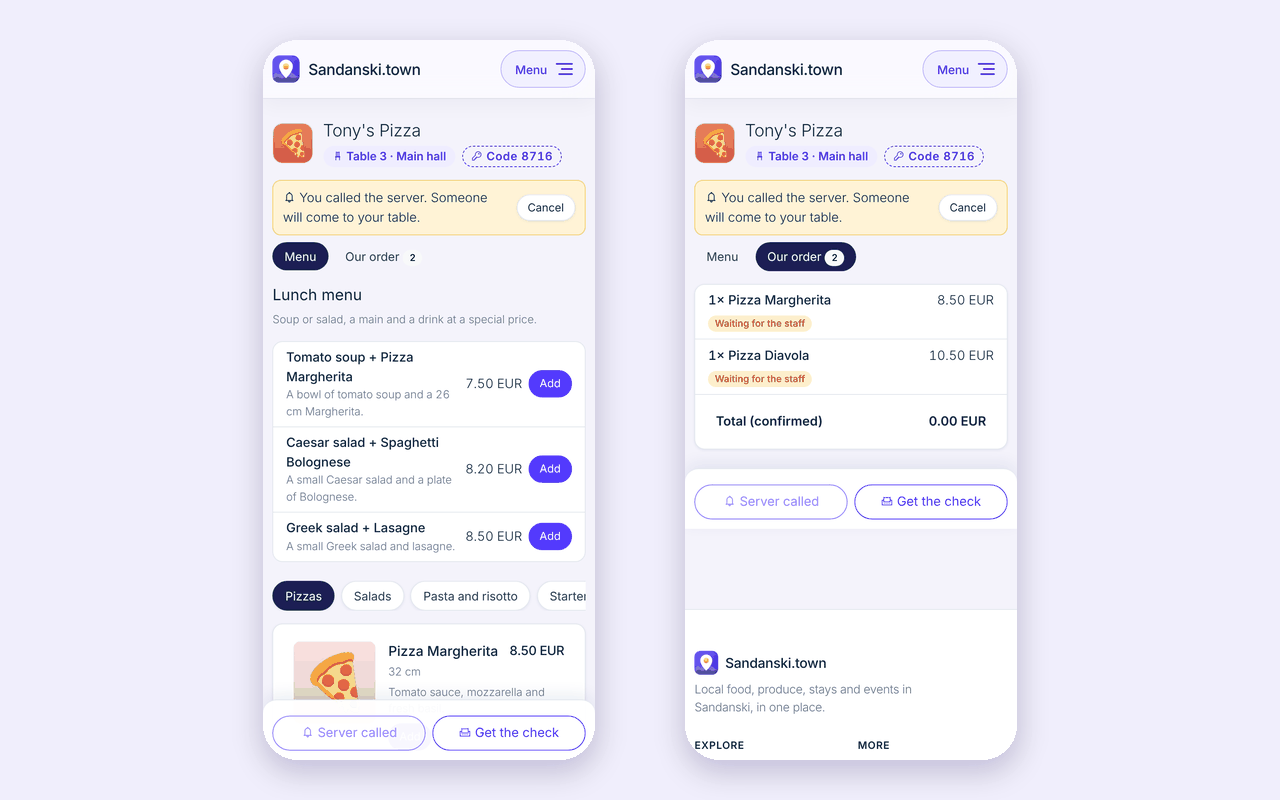
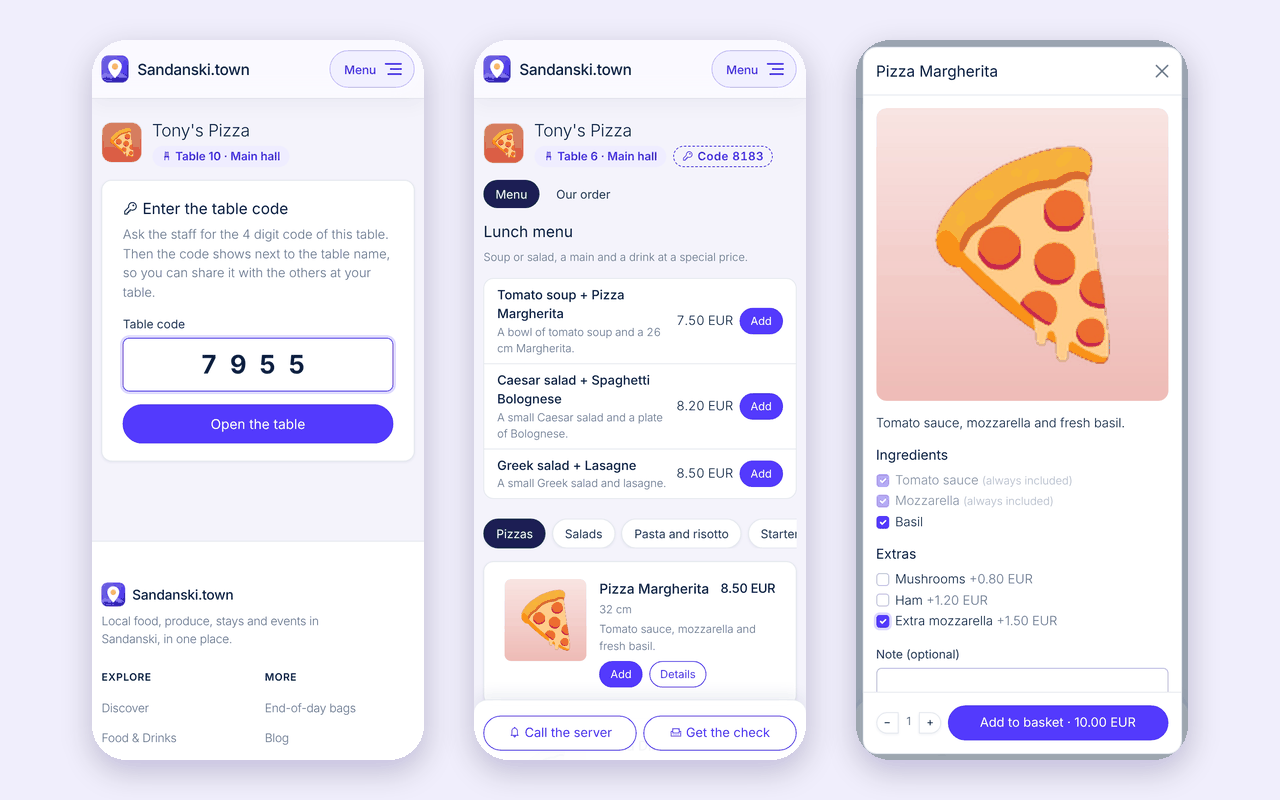
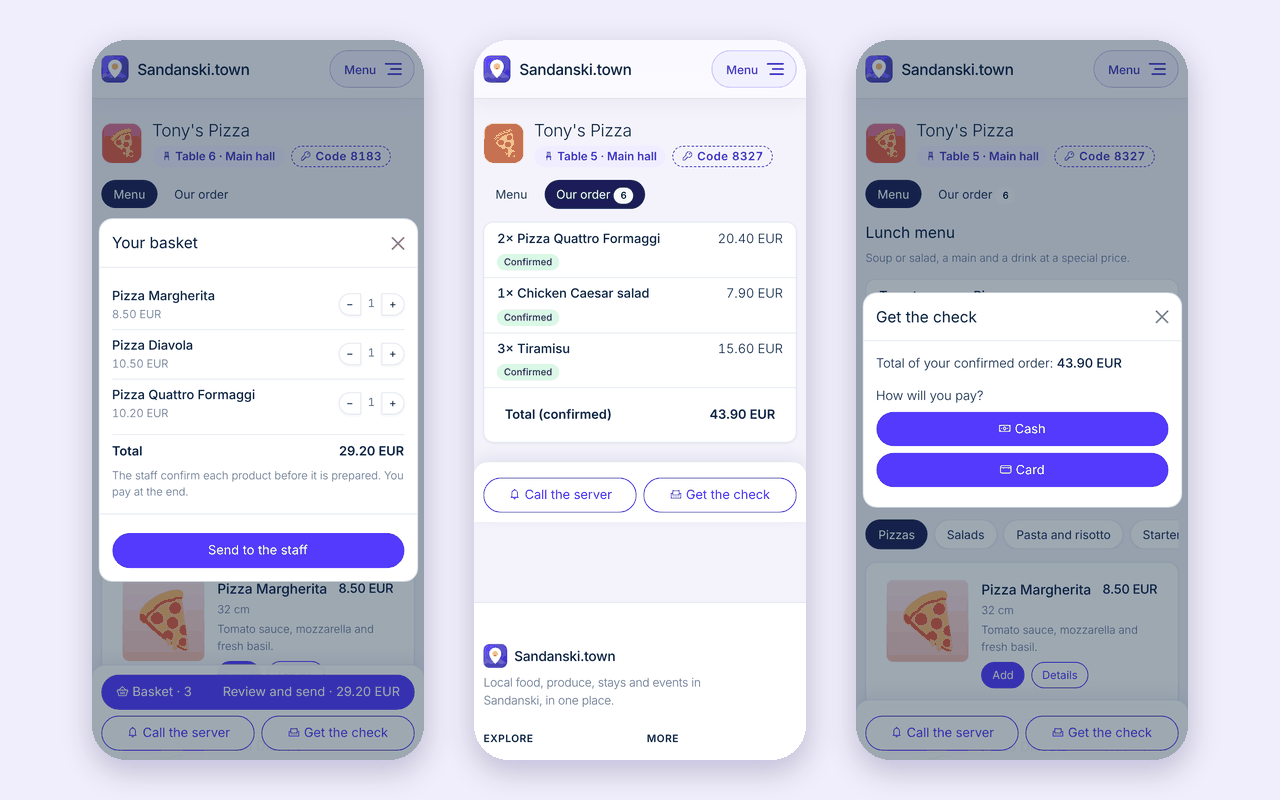
Guests scan the QR code on their table, enter the 4 digit table code, order to their table, call the server or ask for the check.

What you do

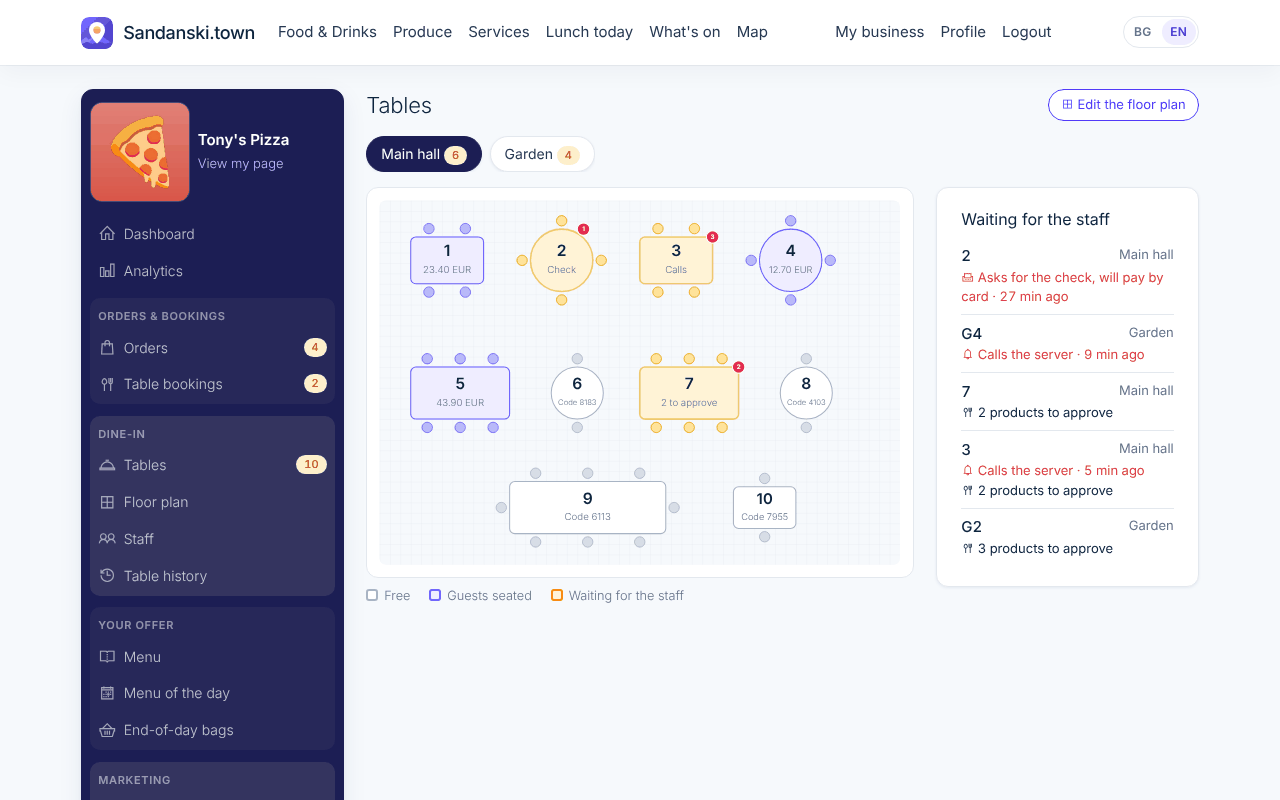
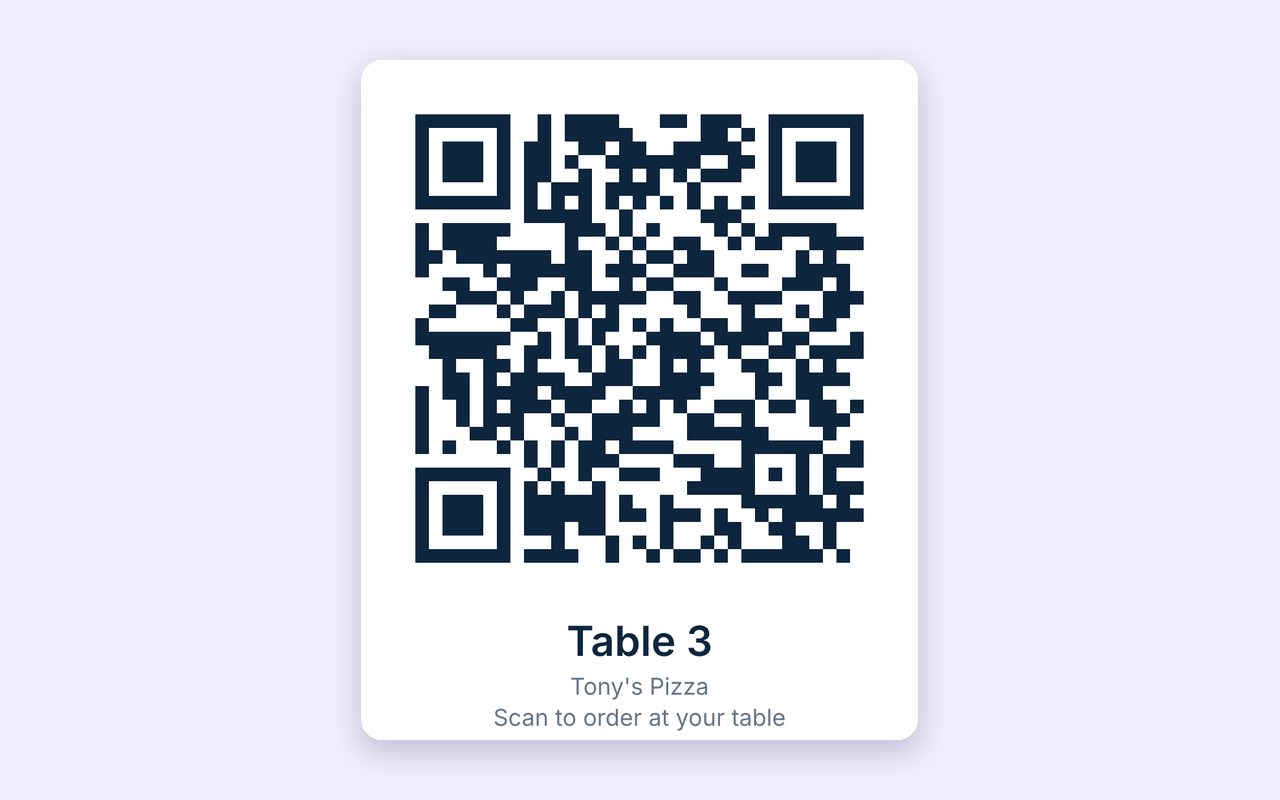
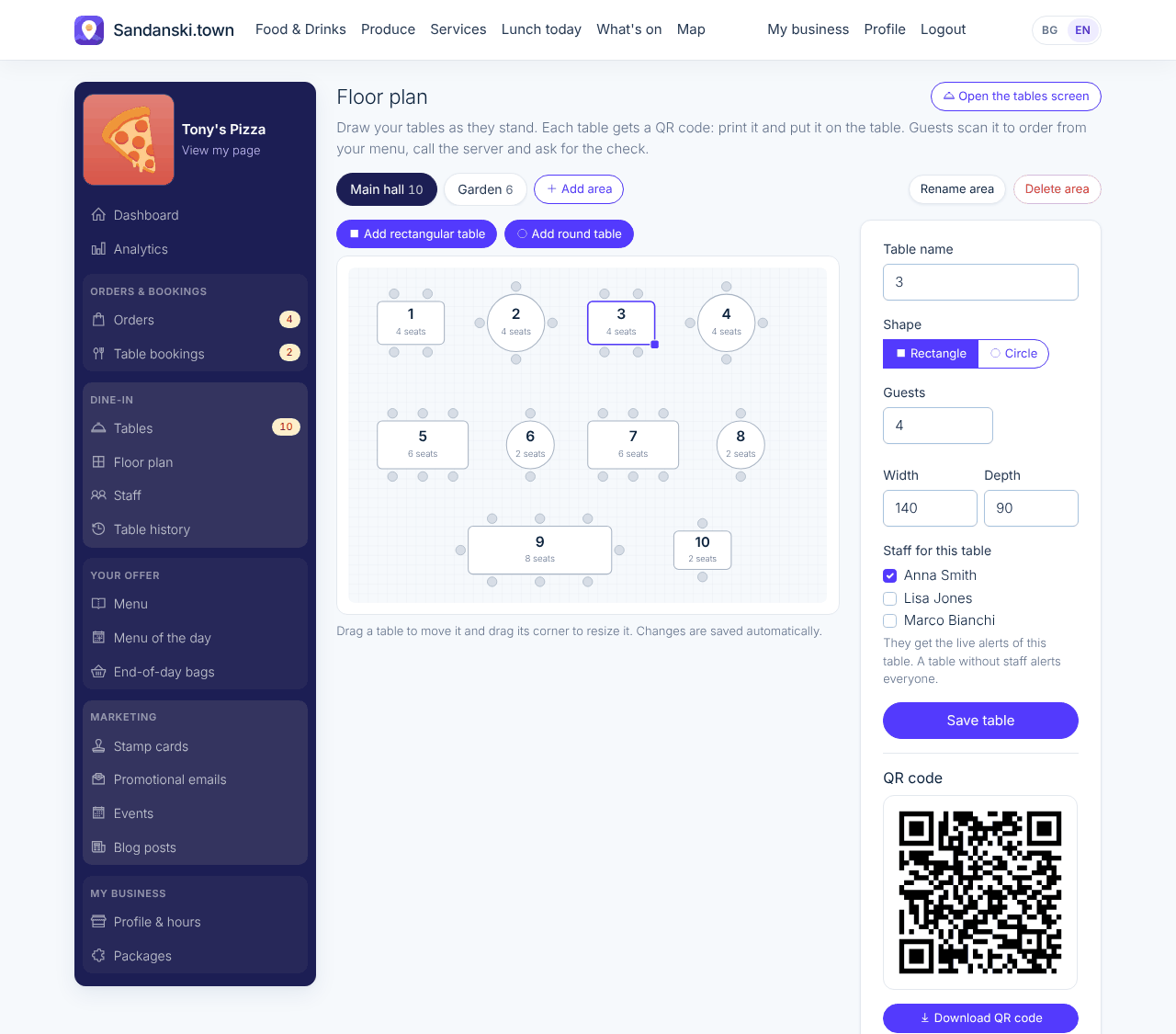
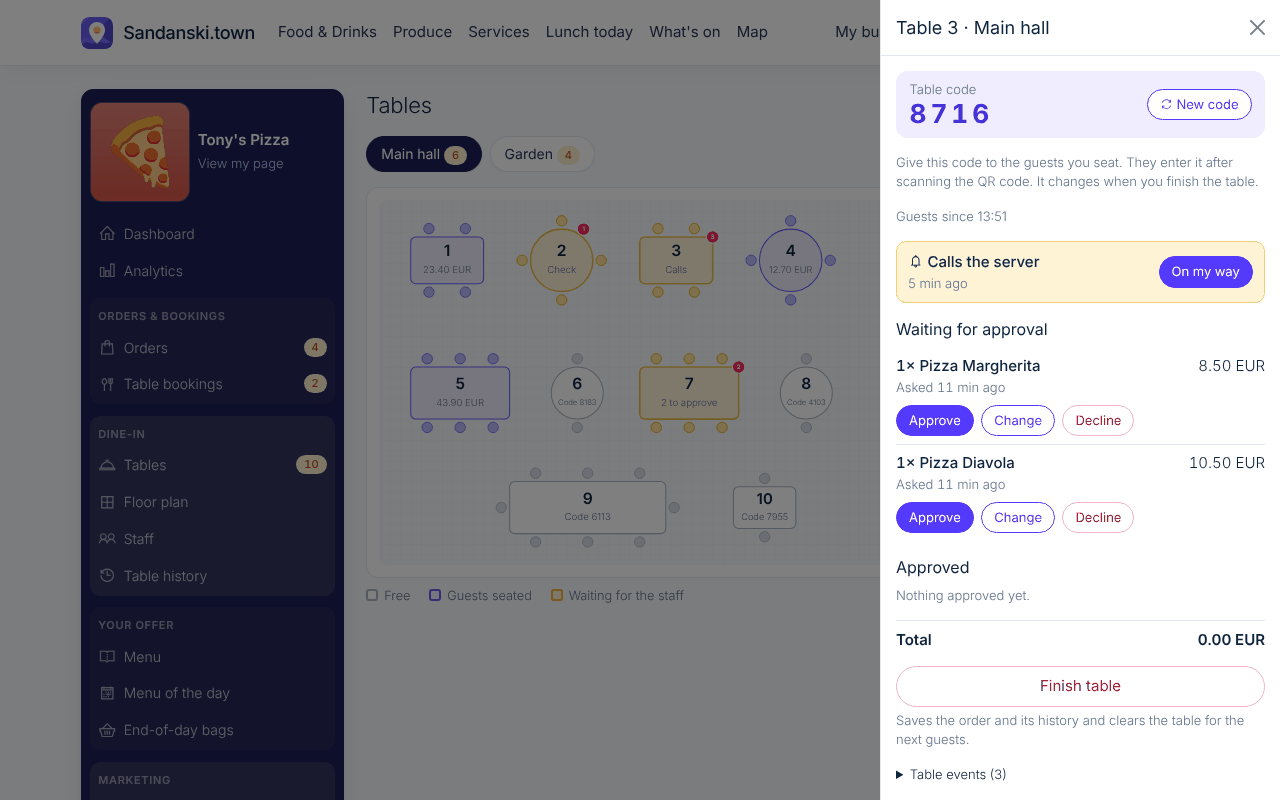
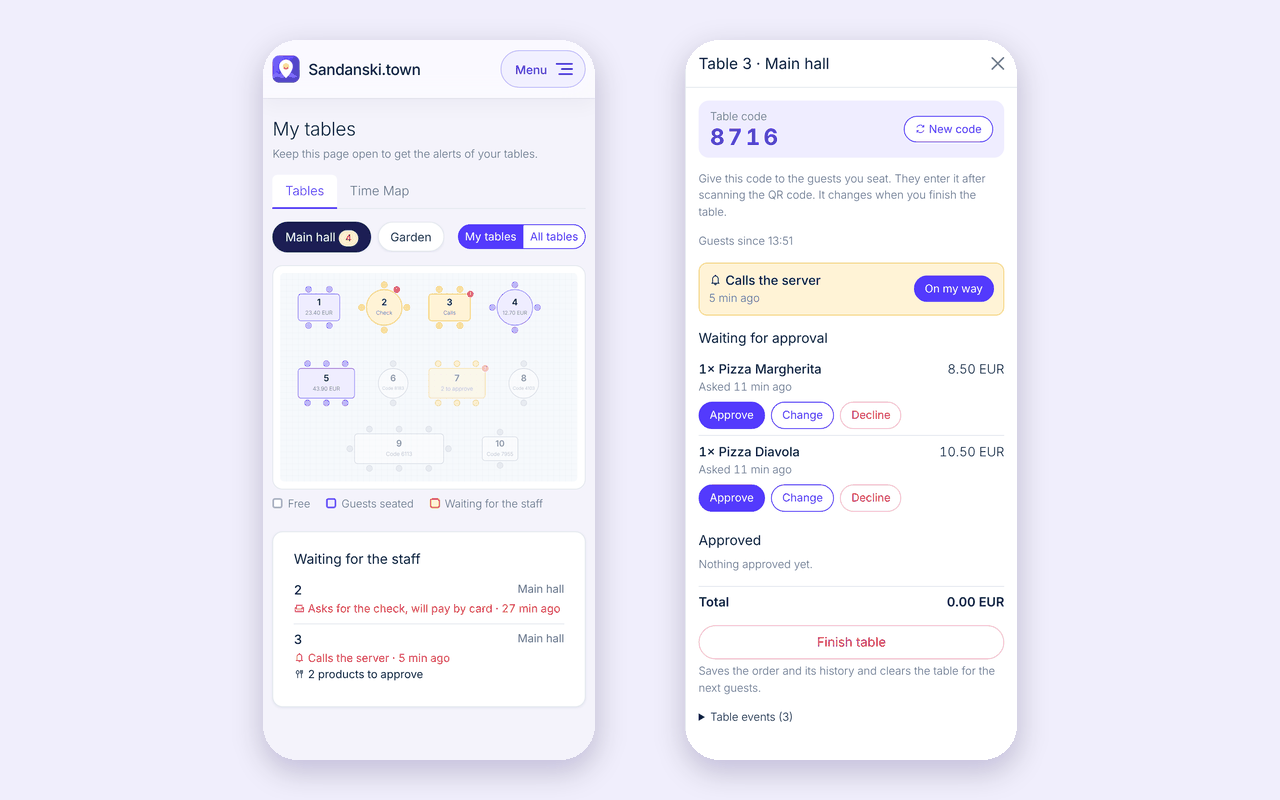
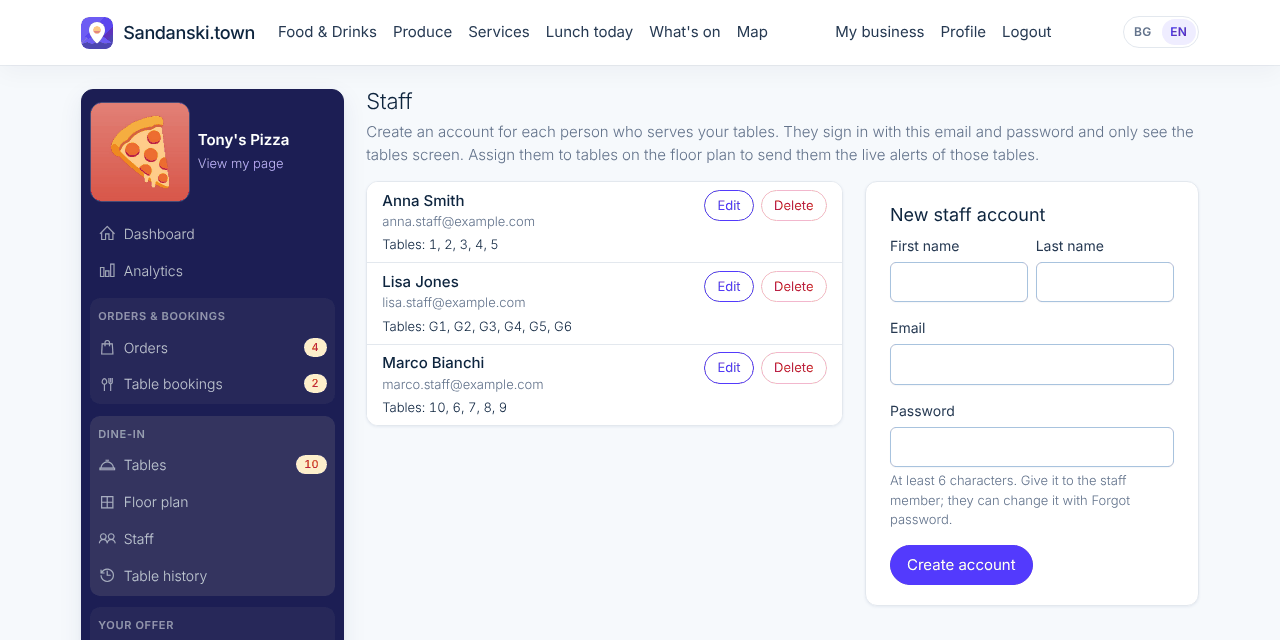
You draw your floor plan and print a QR code for each table. Your staff sign in on their own phones, approve orders and finish tables. Every guest gets a new code, so nobody orders from home.

Where to find it: My business > Tables, Floor plan and Staff

What your customers see

More examples

Guests scan the QR code, enter the table code and open your menu.
They send their basket to the staff, follow their order and ask for the check.
The QR code you print for each table.
Draw your floor plan, choose who serves each table and download its QR code.
Open a table to approve, change or decline what the guests asked for.
Your waiters see their tables and alerts on their own phones.
An account for each waiter, with the tables they serve.
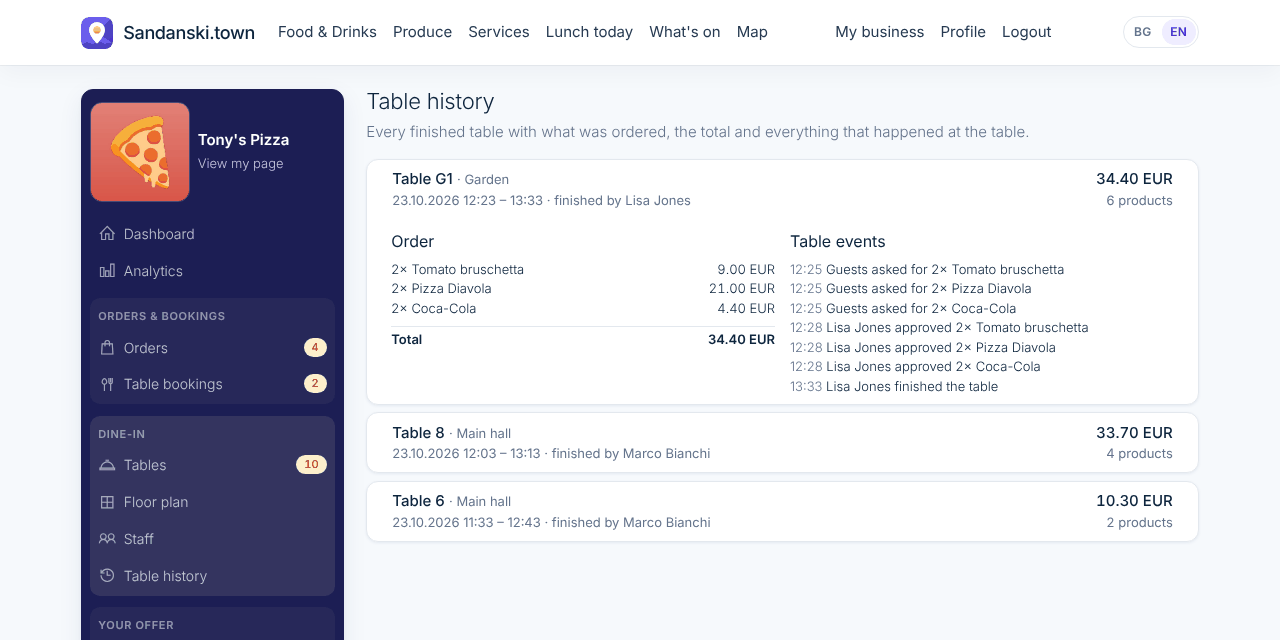
Every finished table is saved with its order and everything that happened at it.

Table bookings on your floor plan New

What your customers see

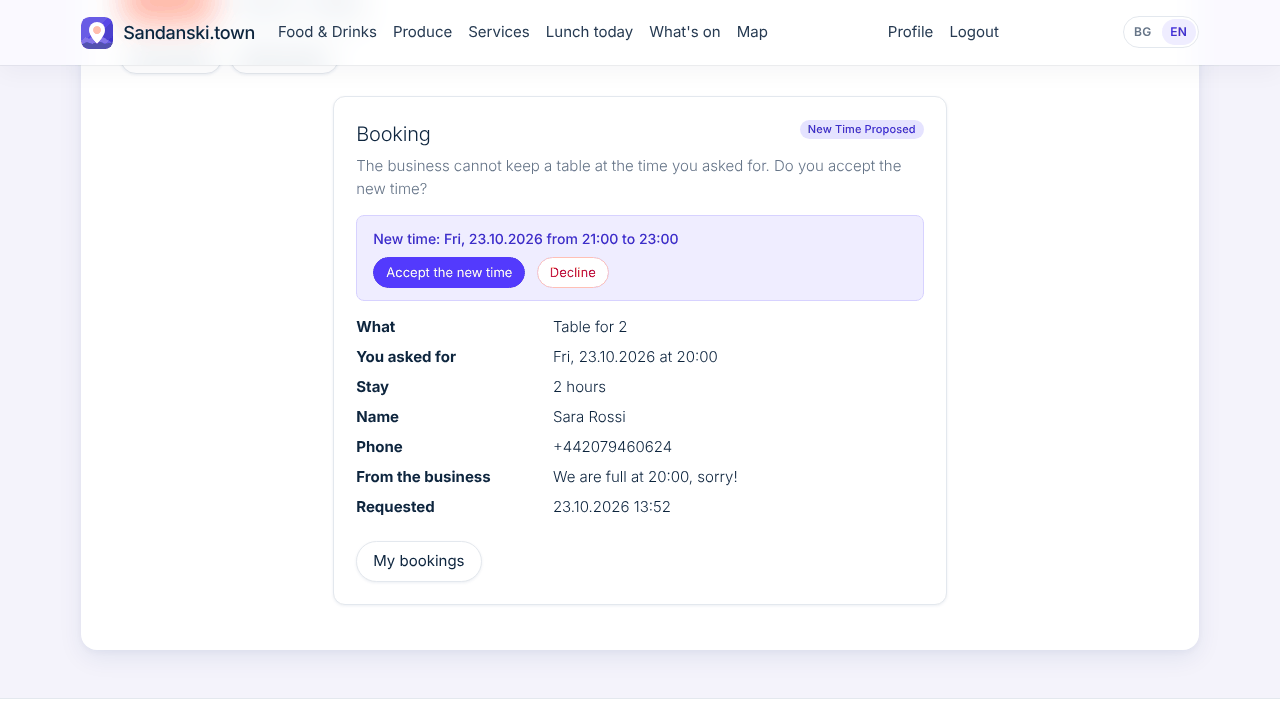
Guests say how long they will stay when they book a table. If you are full at their time, they get an email with the time you offer and accept or decline it with one tap.

What you do

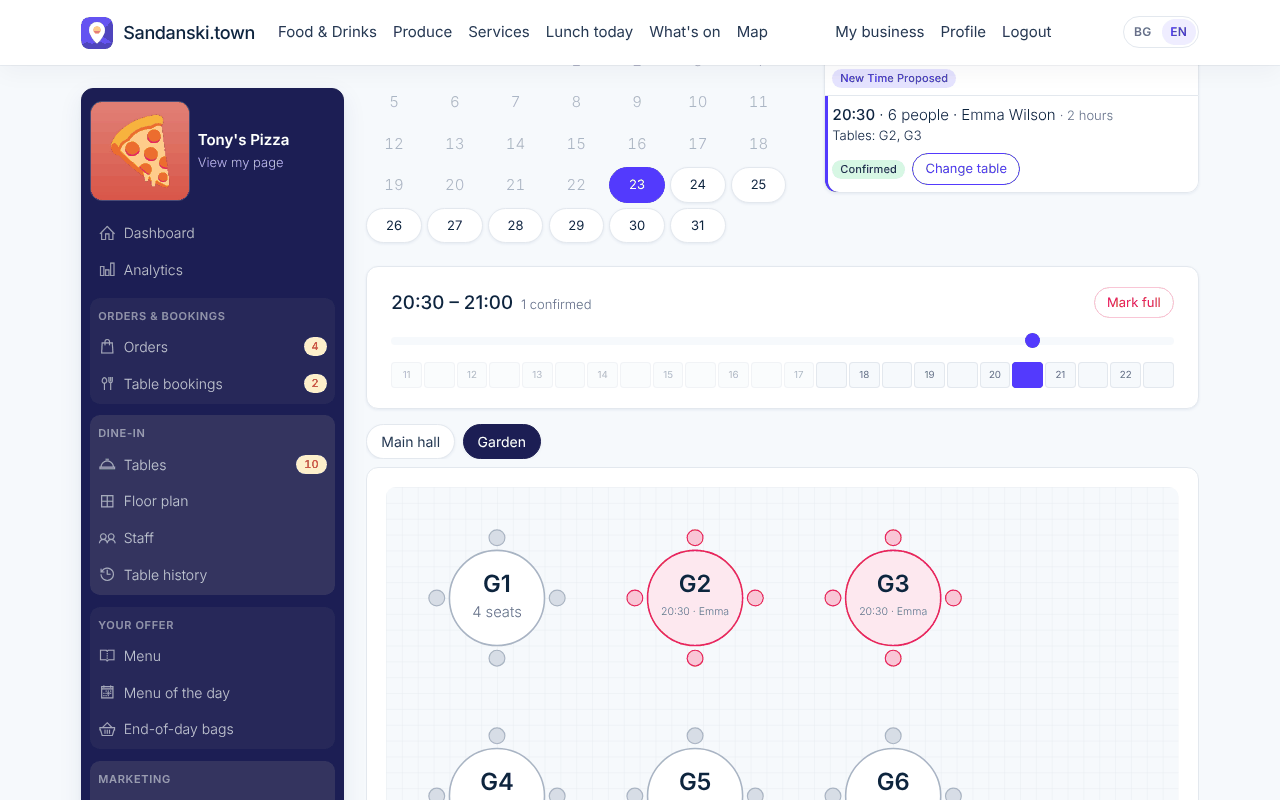
You give each booking one or more free tables right on your floor plan, and that confirms it. The Time Map shows which tables are booked or have guests seated at any half hour of the day, and your waiters see it on their phones too.

Where to find it: My business > Table bookings > Time Map

What your customers see

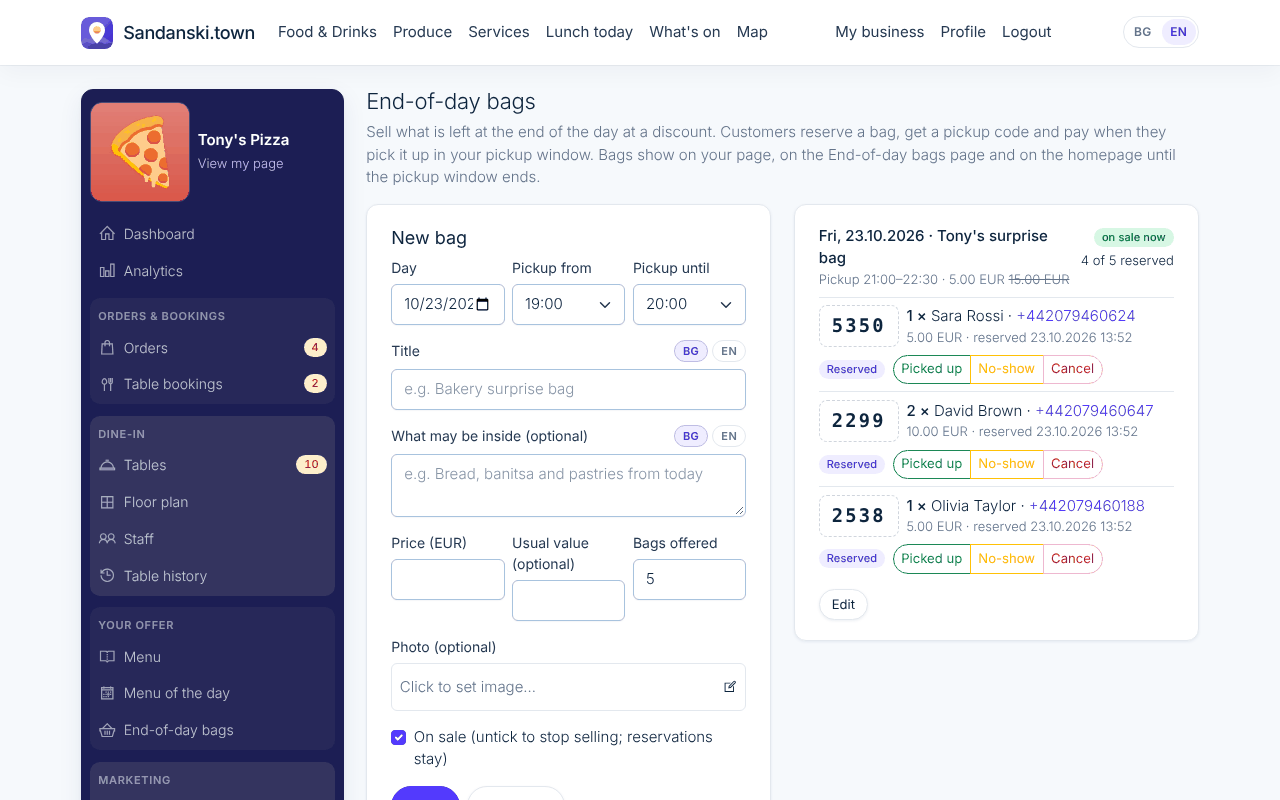
End-of-day bags New

What your customers see

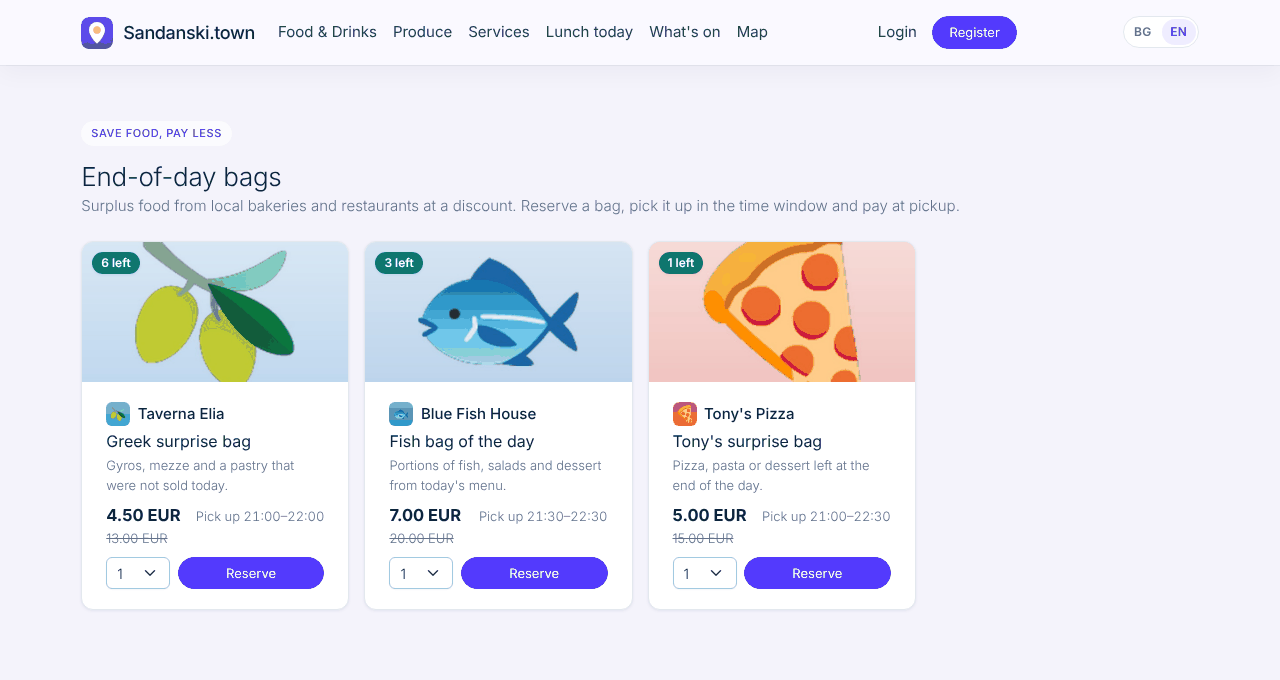
Customers find discounted bags on the End-of-day bags page, reserve one and pay when they pick it up in your pickup window.

What you do

You put up what is left at the end of the day with a price and a pickup window. Less food in the bin, and new customers at your door.

Where to find it: My business > End-of-day bags

What your customers see

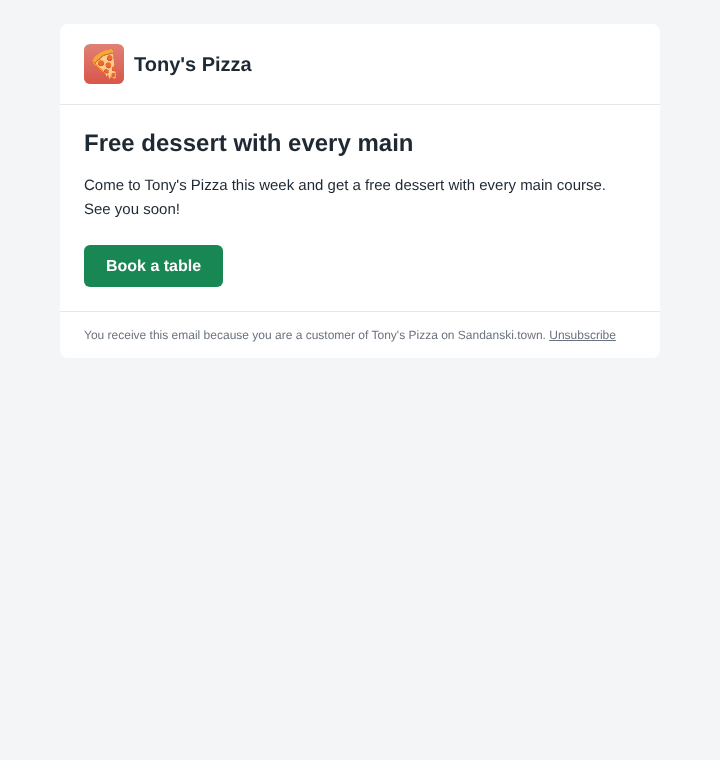
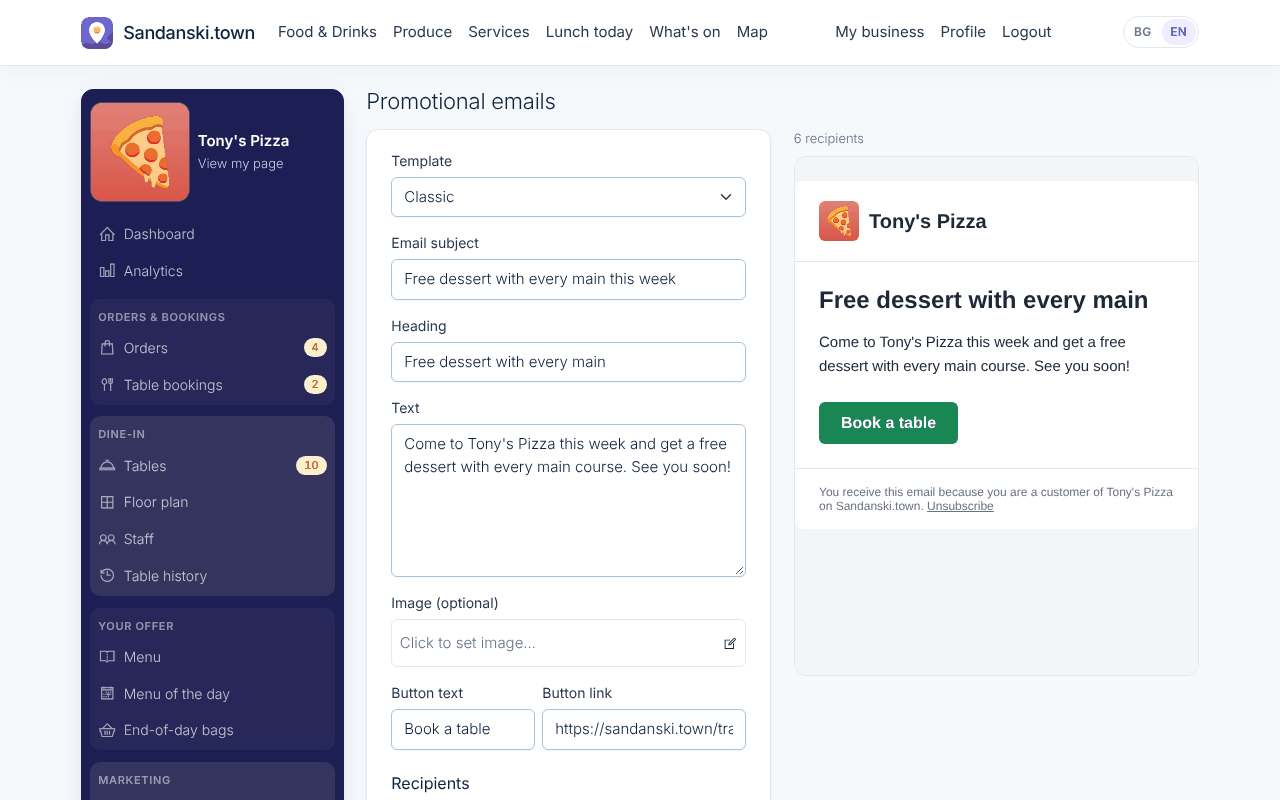
Promotional emails New

What your customers see

Your customers get a good-looking email with your offer, and can unsubscribe with one click.

What you do

You write a short offer and send it to all your customers, or only to those who ordered or booked between two dates.

Where to find it: My business > Promotional emails

What your customers see

A day with Food & Drinks Tier 3

  1. 10:30You publish today's lunch, and it shows on Lunch today an hour before you serve.
  2. 13:00A table of four scans the QR code, orders two salads and calls the server for wine.
  3. 15:00A family of six books for 20:00. You give them tables 4 and 5 on the floor plan, and the booking is confirmed.
  4. 16:00The garden is full at 20:30, so you ask a couple to come at 21:00 instead; they accept with one tap.
  5. 17:00You put three bags of pastries on End-of-day bags; two are reserved within the hour.
  6. 18:30Tonight's guests get their one hour booking reminder.
  7. 19:30Booked guests arrive at the tables waiting for them, while delivery orders keep coming in.
  8. MondayYou email last month's customers: free dessert with every main this week.

Getting started

Once the package is on, set it up in this order. Each step opens the right page in My business.

  1. Add your logo, a description and photos to your page.
  2. Set your working hours and closed days.
  3. Add your menu: products, prices, photos and ingredients.
  4. Set up your stamp card: the reward and the number of stamps.
  5. Publish your first menu of the day.
  6. Check that your working hours fit your table bookings; guests book within them. (optional)
  7. Draw your floor plan, add your tables and print their QR codes.
  8. Add a staff account for each waiter.
  9. Put up your first end-of-day bag.
  10. Send your first promotional email to your customers. (optional)

Questions

Do my waiters need accounts?

Yes, free staff accounts, as many as you need. They sign in on their own phones.

Can I stop table bookings on a busy day?

Yes. Mark the day as closed for bookings and nobody can book it.

Can I see which tables are free tonight?

Yes. The Time Map shows your floor plan at any half hour of the day: booked tables, tables with guests seated now, and free ones.

How long does a booking keep its tables?

You choose when you give it tables; what the guests picked is filled in for you. You can also stop asking guests how long they will stay.

Do guests pay at the table online?

Not yet. Guests ask for the check on their phone and pay your staff as usual.

Food & Drinks Tier 3

Everything a restaurant needs: orders, bookings on your floor plan, ordering at the table and loyal regulars.